
Bad UI in Send/Receive Settings window

I want to work offline – but have everything sync every 5 minutes (EXCEPT my Outbox – I will do that manually)

1) So I choose File | Work Offline
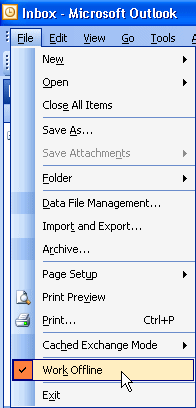
Figure: Select Work Offline

Figure: Select Work Offline

2) Select Define Send/Receive Groups
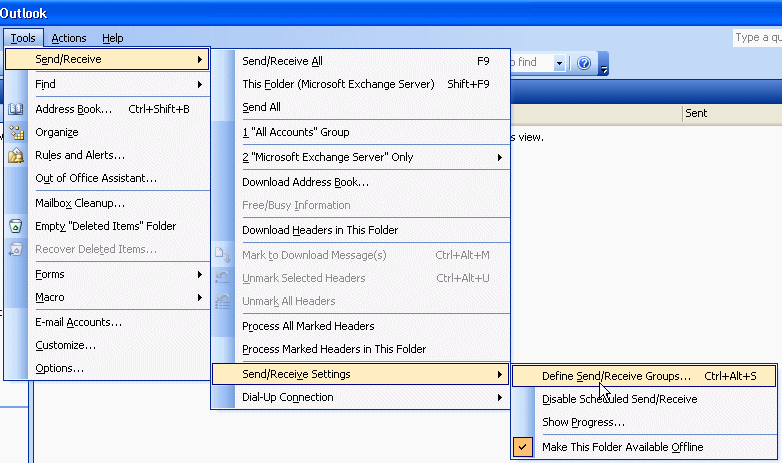
Figure: Select Define Send/Receive Groups

Figure: Select Define Send/Receive Groups

3) Tick the checkbox – Schedule an automatic send/receive every 5 minutes, then edit ‘All Accounts’.
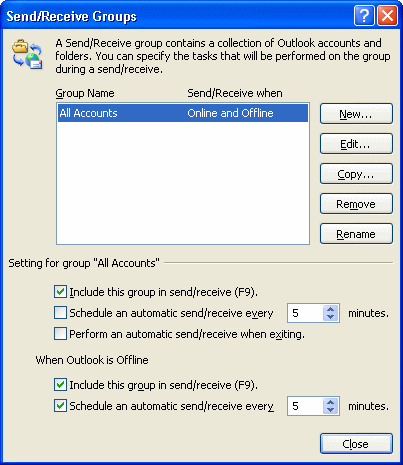
Figure: Send/Receive Groups

Figure: Send/Receive Groups

4) Then check off “Send mail items”
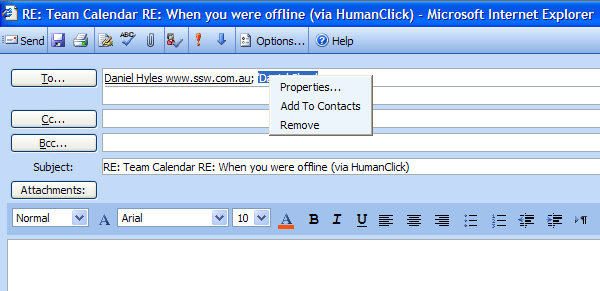
However it keeps sending emails because the Outbox is selected in the tree control The Outbox should show as Strikethrough when that checkbox is off
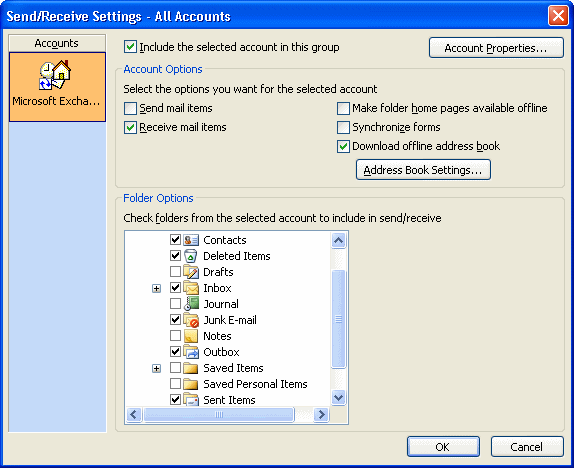
Figure: Bad UI in Send/Receive Settings, the Outbox should show as strikethrough
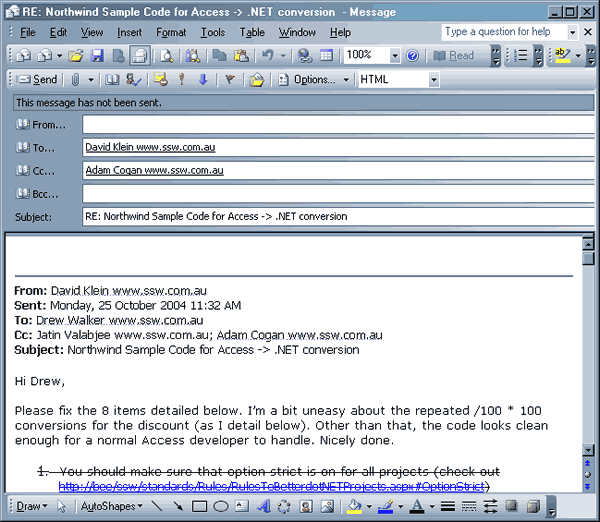
Figure: Bad UI in Send/Receive Settings, the Outbox should show as strikethrough
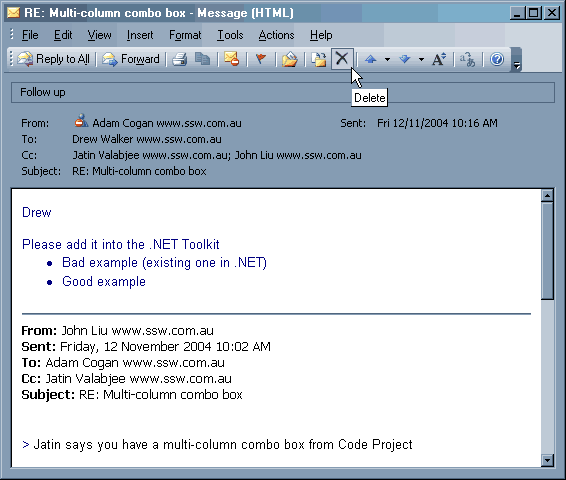
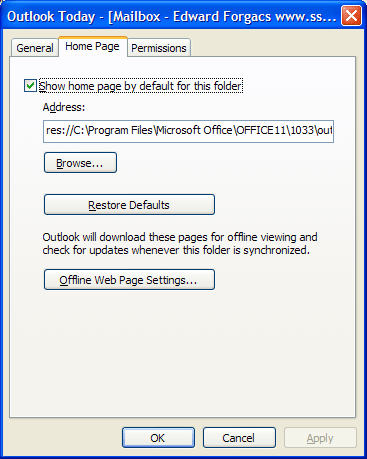
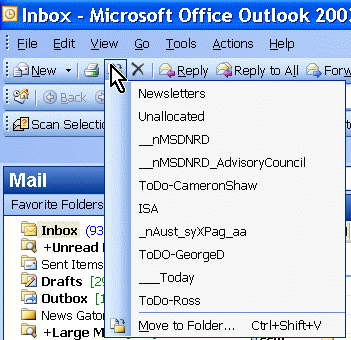
Items disappear when moved into a folder with a homepage

If you drag an item into a folder which has a home page (for example, the root of the Inbox, which has Outlook Today), there is no way to access the item, except by disabling the folder’s home page. The setting to disable the home page is buried in the Folder Properties, and many users may not know where to find it.

Outlook_ItemsDisappear
Outlook should display a warning that the item will not be visible if you attempt to move an item into a folder which has a home page.

Outlook data files

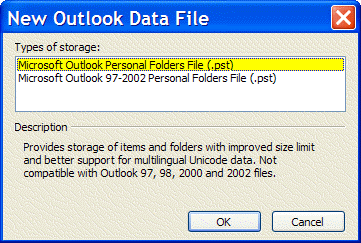
Why call it Microsoft Outlook Personal Folders File (.pst)?

Microsoft please change it to Microsoft Outlook 2003 Personal Folders File (.pst)?

Note: And NO I don’t believe the file format will never change again

Figure: No consistency and no forward thinking by Microsoft here

Figure: No consistency and no forward thinking by Microsoft here