Do you agree that products always have room for improvement?
"Every day there are little things in software that we find annoying. Some write books about it, like Annoyances.org, but I thought this site would be more constructive.
BetterSoftwareSuggestions.com is proudly maintained by myself and the developers at SSW."
I have had employees leave SSW and we have had little dramas later… this is when I discover that we have lost their forms. Has this happened to any of you?
Losing Microsoft Forms when employees leave your company can be avoided by making sure they share it to a team and not to one user.
Suggestion:
I would like a warning in the form that says this form is an orphan and is not shared to a team.
OR
…even better, have an admin portal that allows you to assign the missing form to a new owner.
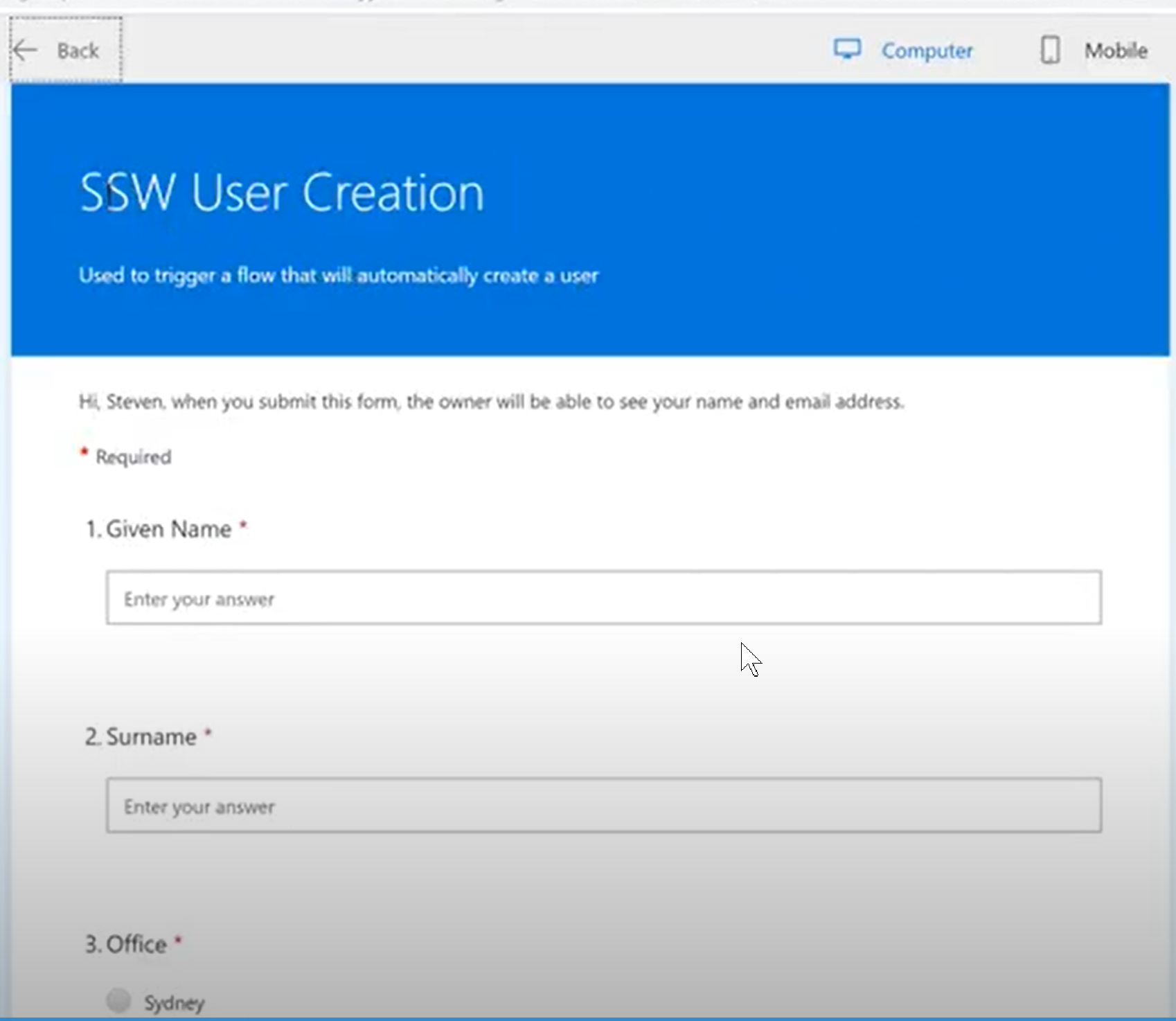
Figure: This form was shared to a bunch of people but when the creator left, it was lost
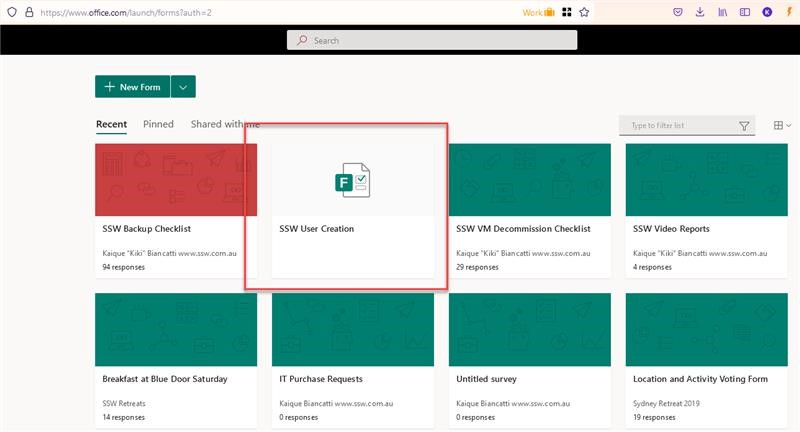
To repro:
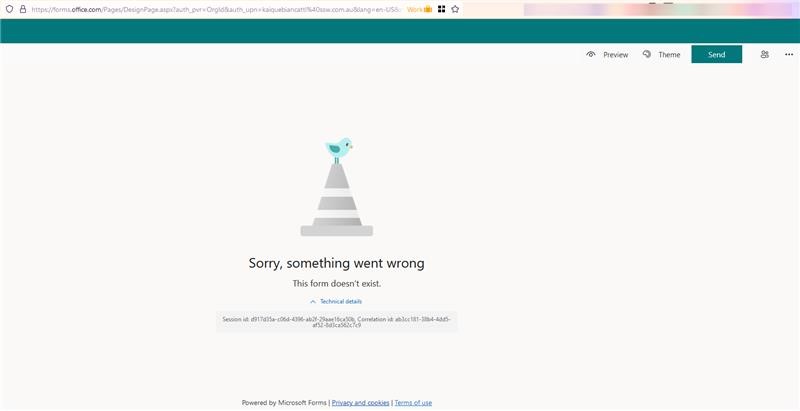
Figure: Open form (you can see it)Figure: But you only get “Sorry, something went wrong This form doesn’t exist”
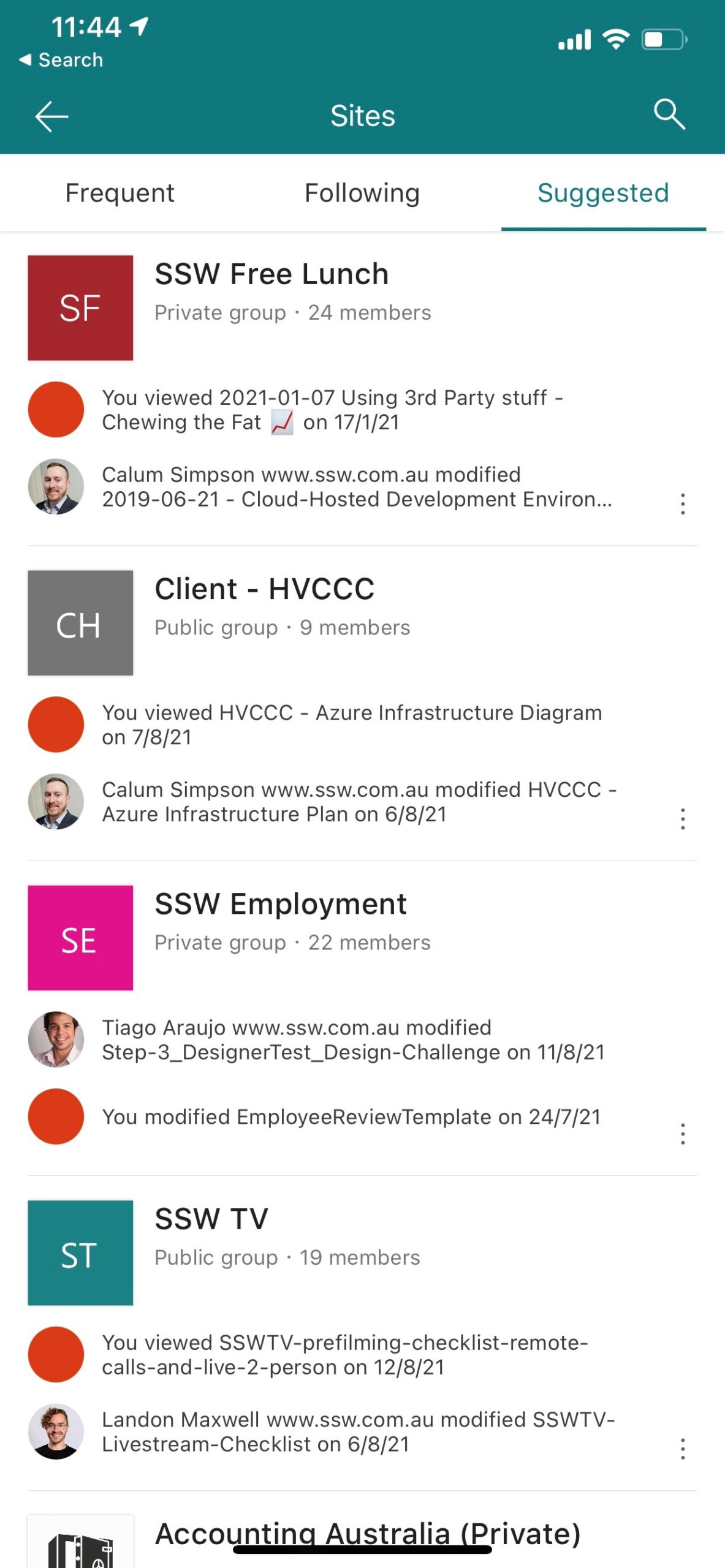
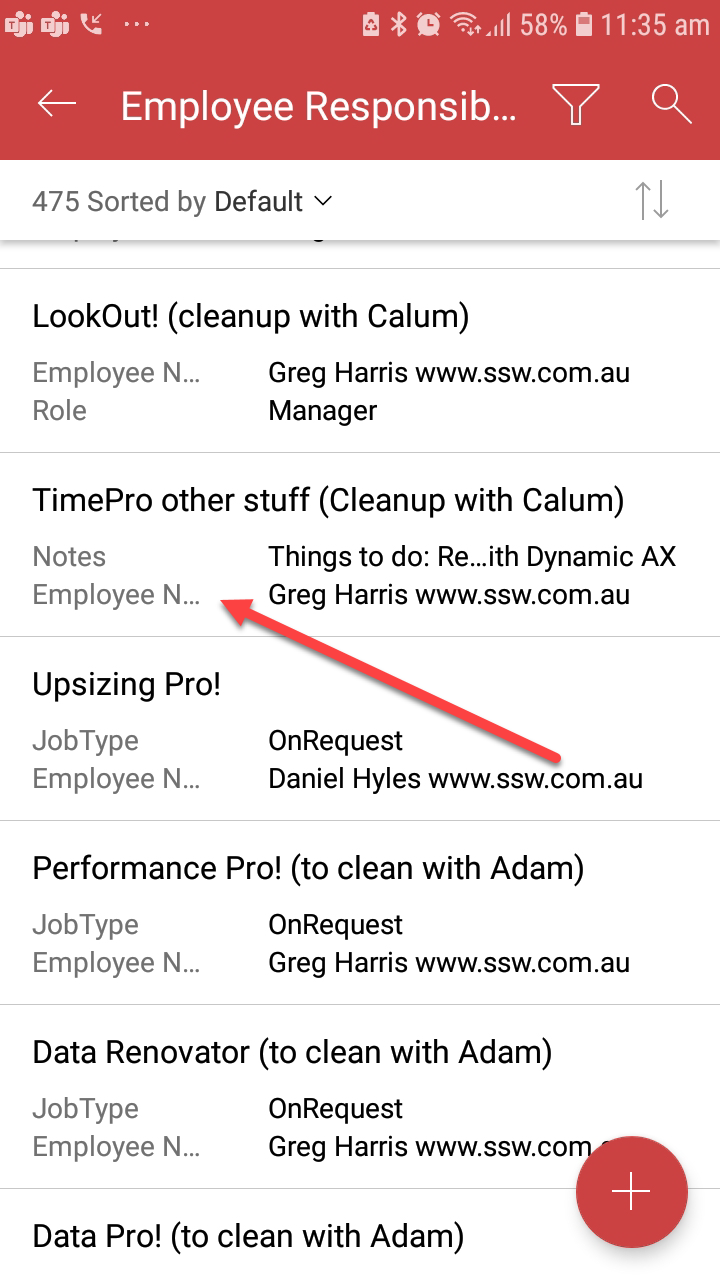
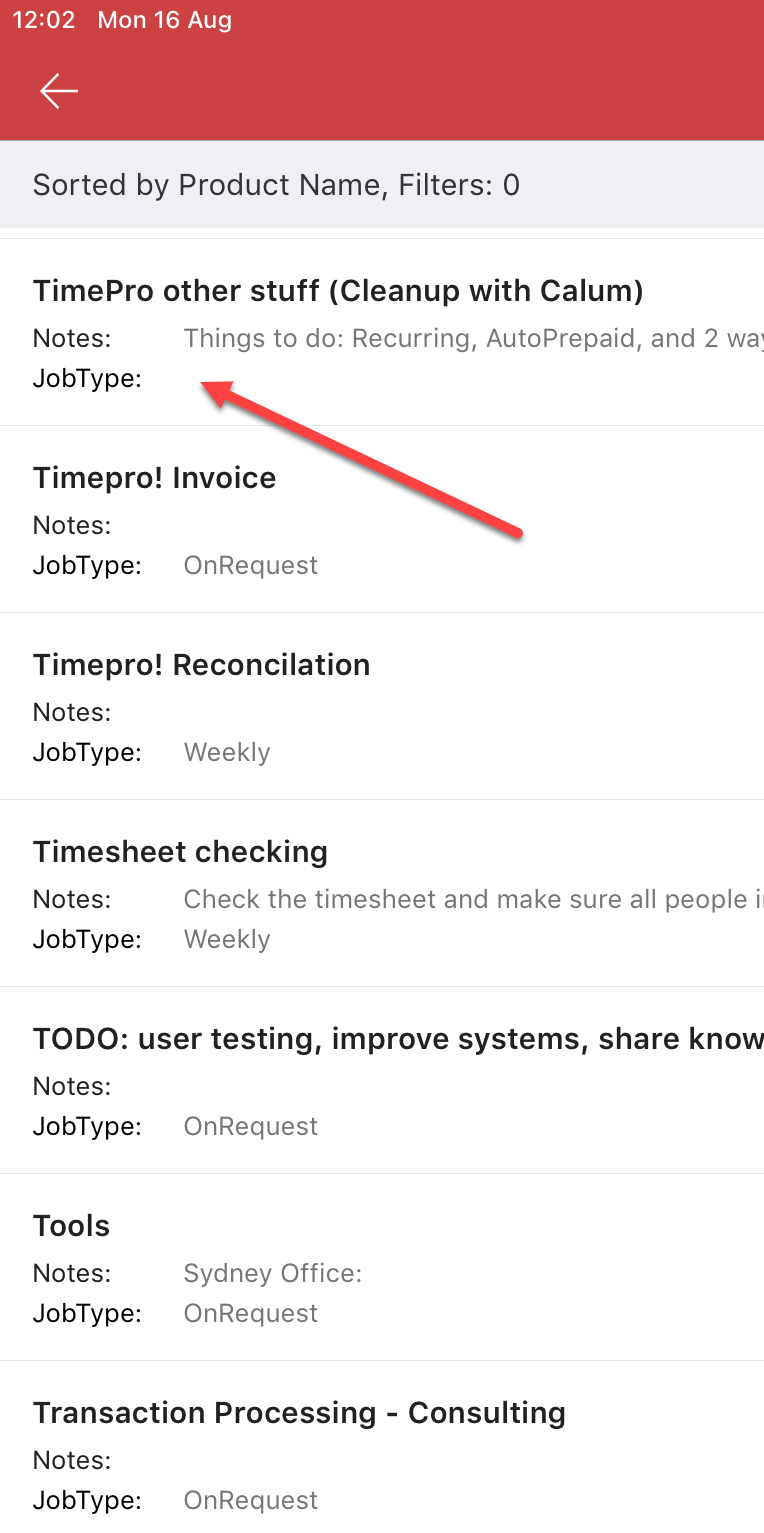
Figure: View of list from Android – Expecting to see 9 fieldsFigure: View of list on IOS – expecting to see 9 fields (or at least consistent with Android)
Inconsistency – Why do I see different fields on the same SharePoint list when on Android vs iPad?
Not seeing 9 fields – Neither of these views have the 9 fields that I have in the mobile view?
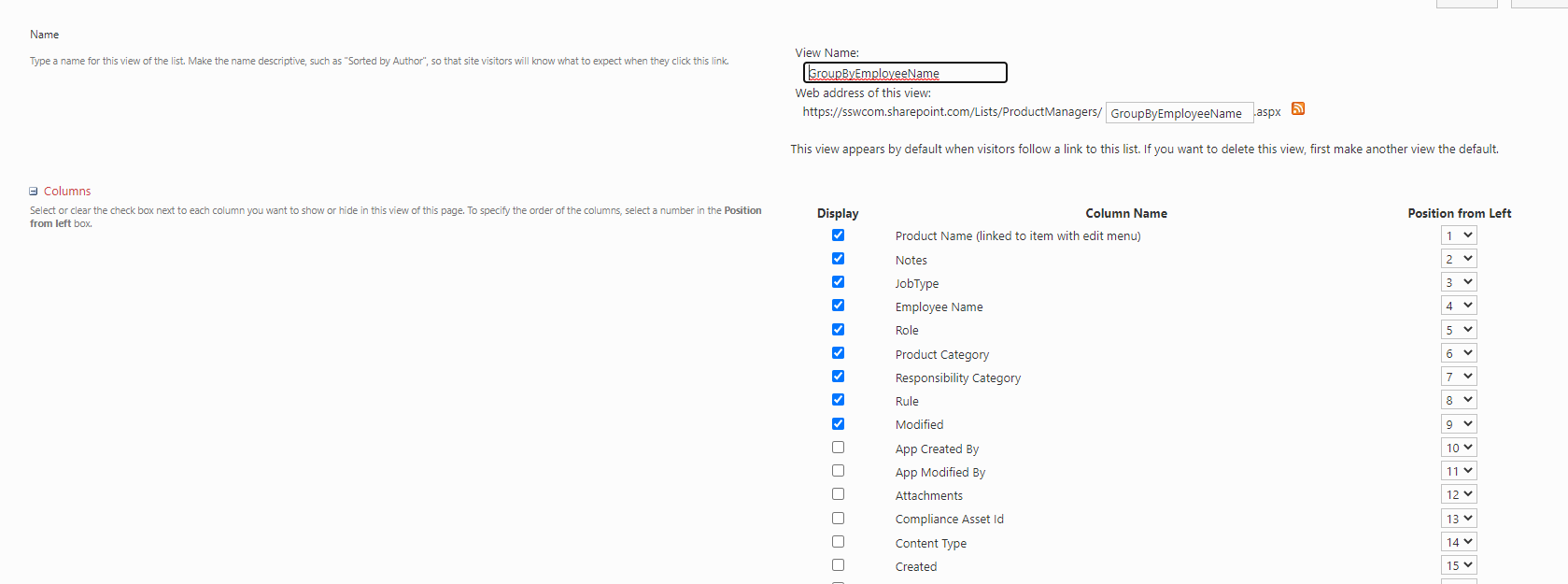
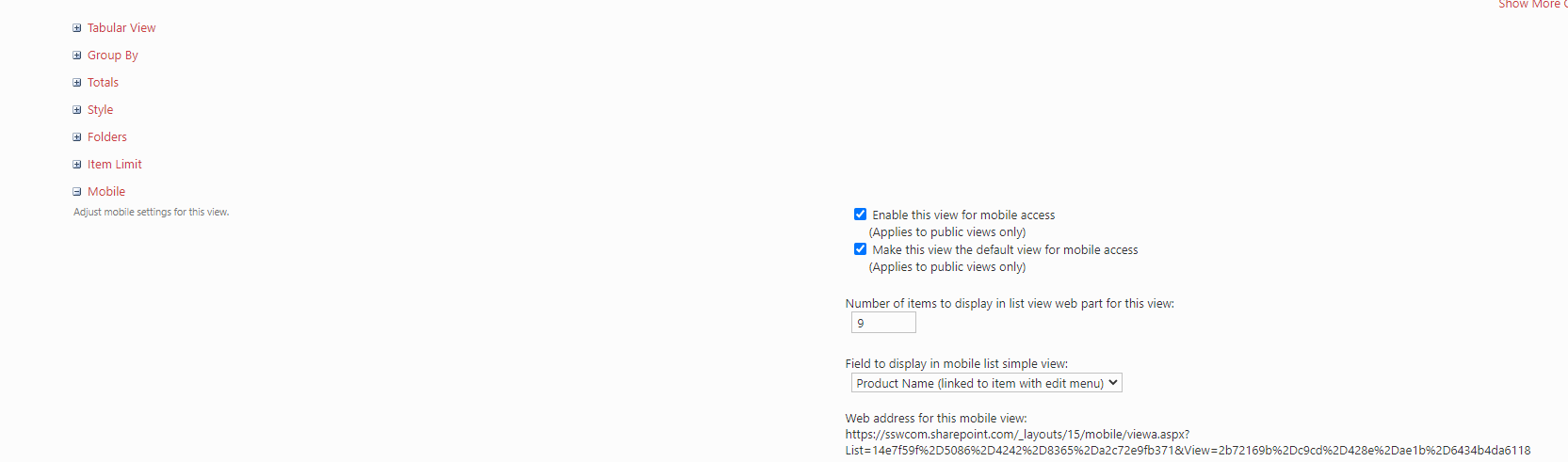
It seems that the app is ignoring all of the view settings.
Figure: View AppliedFigure: View Settings – Fields SelectedFigure: View Settings – 9 items selected in “Number of items to display…”
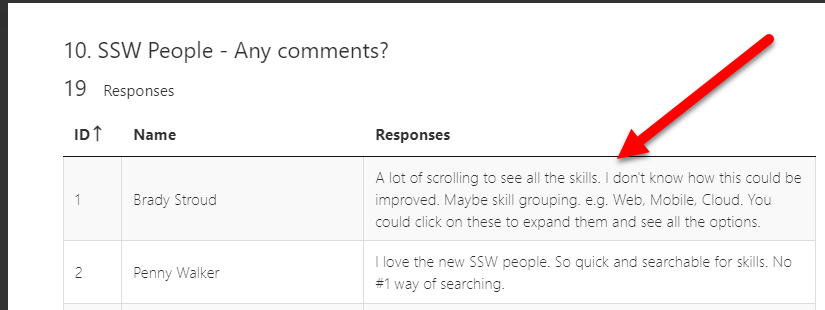
One of the things I’ve learnt using Microsoft Forms is that employees want to get feedback on their feedback, otherwise they feel that their time went into a blackhole.
Therefore, after all the responses come in, I review the comments and I find I want to bold and highlight remarkable feedback.
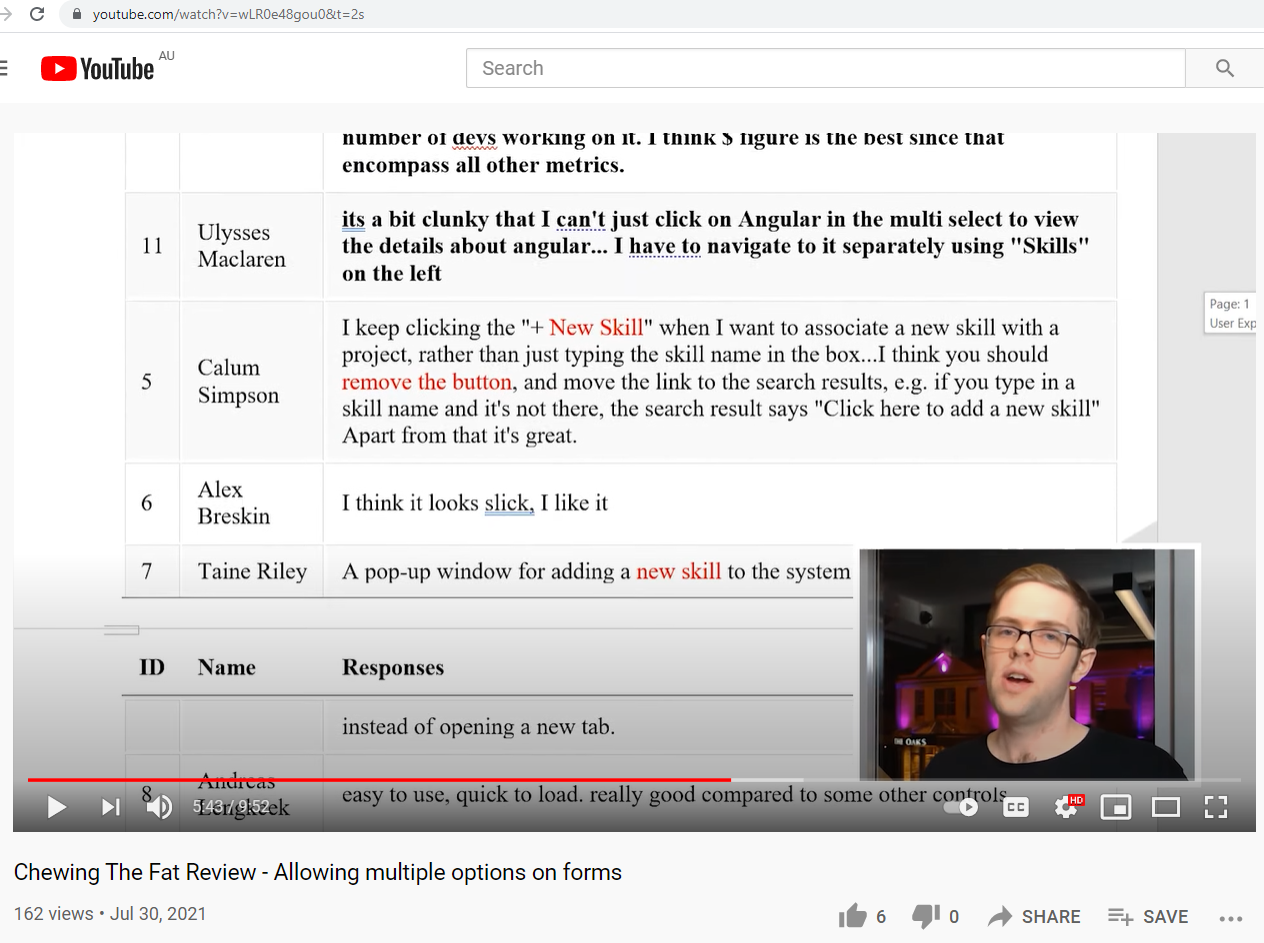
Workaround – You cannot do this now, so we must copy the responses into a Word document and annotate it there. Then I record a video and send it to the staff, an example (of a public one) is below.
Suggestion:
Please allow Microsoft Forms responses to be annotated
Please allow an emoji to be given to a response
Please give us an extra “Notes” column after the “Responses” column
Please have the whole form have a “Notes” field too, so I can place comments there E.g. the URL of the feedback video
Figure: When viewing Microsoft Forms responses, it should be possible to annotate themFigure: See this video where we must copy all the responses into word to be able to annotate them
This problem comes up every couple of weeks so I thought of 4 things that would help Power BI users.
See email of failed refresh below. I get this email periodically telling me of an error. Thank you.
When I look into the error… sometimes it has magically resolved itself and it was a waste of time me looking into it.
Here is an example…
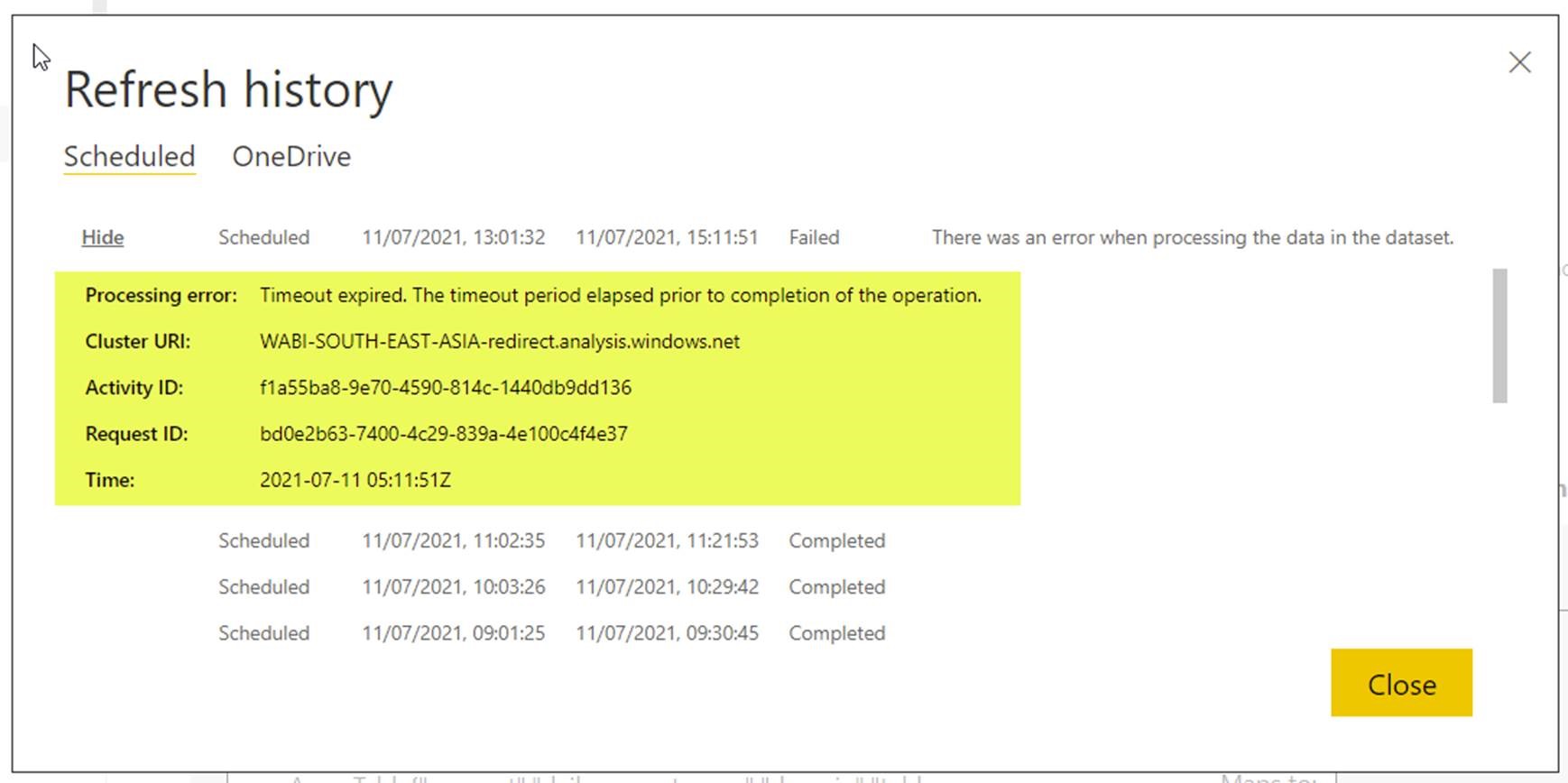
Figure: Booked in Days Report – Refresh History – shows the failed timeout and subsequent successful refreshes
Suggestion #1 – Emails
We currently get an email on refresh failure. We need one on the next success too (only after the last one failed). Please.
Suggestion #2 – UX
Please add a Duration column in the Refresh History table next to the End Time.
Suggestion #3 – UX
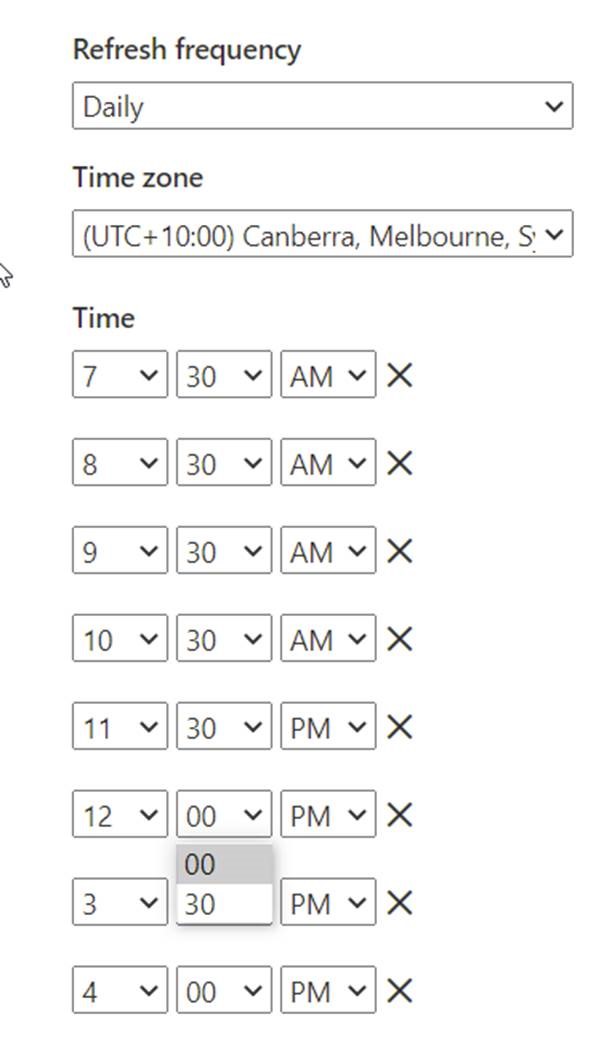
Please provide more flexibility with refresh timings by allowing users to pick the time rather than just 30-minute intervals (change from combo to textbox).
Figure: Refresh settings don’t allow flexibility
Suggestion #4 – Please provide more info
The details link unfortunately does not provide much detail apart from saying it was a timeout issue.
Figure: Yellow highlight shows the error but not much detail ☹
This report uses an SSW gateway and my best guess is that this was due to some issue connecting to the Gateway.
If that is the reason it would be helpful to provide that info.
I often have problems giving specific feedback on Microsoft products and this example in Microsoft Outlook is an example.
Delay Send has been a feature I have used since I think the first version back in 1996.
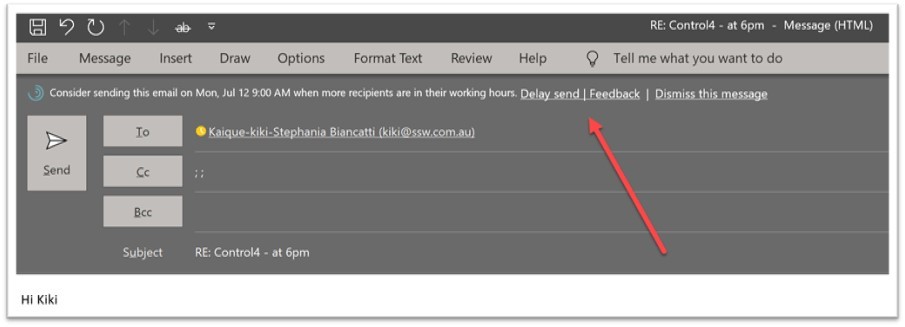
Today I am sending emails to a co-worker at SSW on a Saturday and I see this cool new feature.
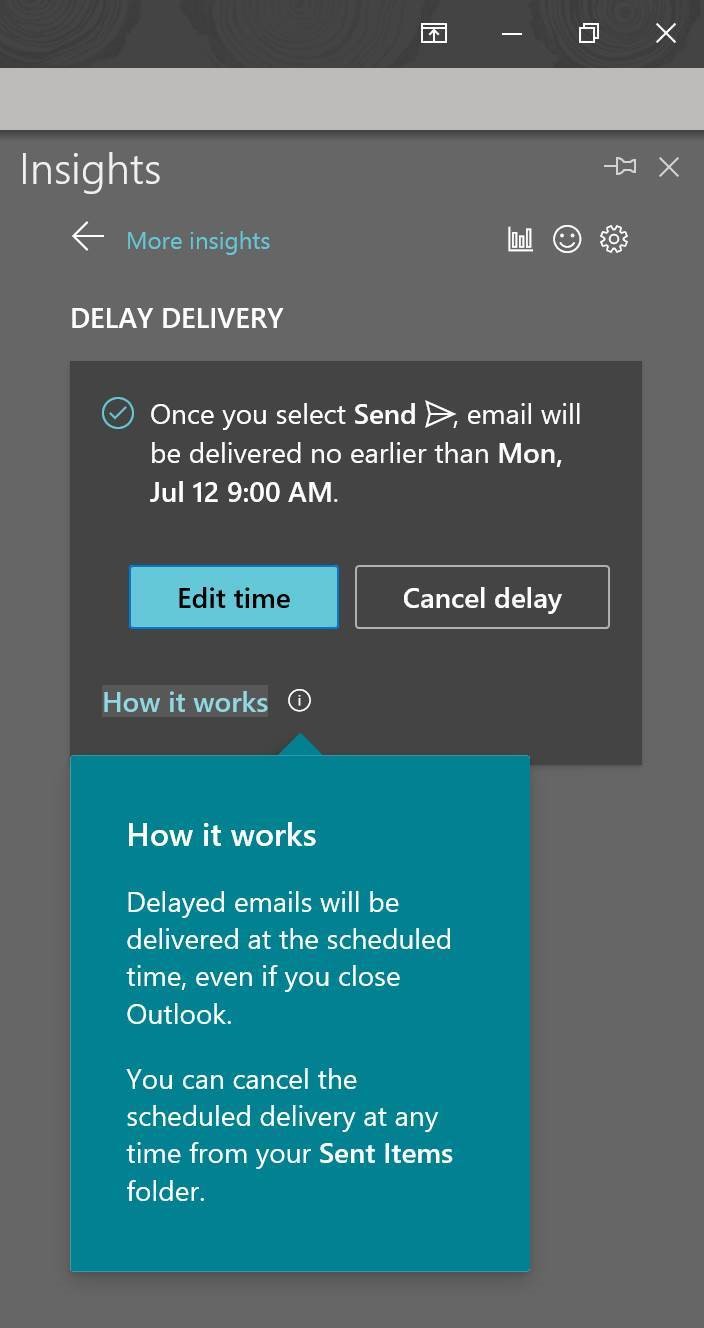
I think WOW! And I use it and think this Insight work Microsoft has done is super cool. ⭐
So I wonder how this works and look at “Delivery Options” and then I see this field is out of sync…
I think to myself that the old feature I use is client side.
I guess the new feature I am trying is server side.
Figure: BTW if I check off that check box “Do not delivery before” it sends the email immediately BAD BUG!!!
So I read the help and am not enlightened. ☹️
Figure: I’d love an “Advanced Help” link to the Microsoft Doc article. If a lot of people are clicking “Advanced Help” it might indicate that the help isn’t quite enough
So let’s tell Microsoft I didn’t like it.
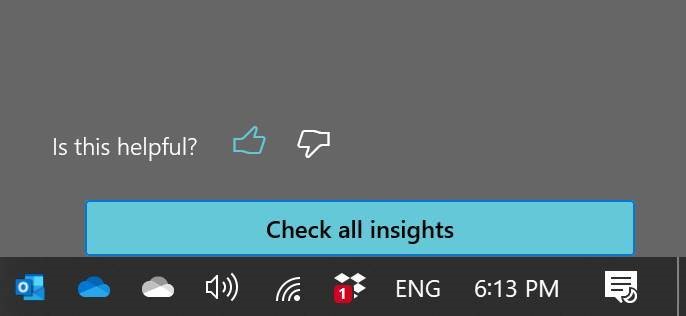
I click “Not useful” and nothing obvious happens (see below image)
Suggestions:
I expect to see a red icon and a text field appear
I expect to be able to tell Microsoft why it is not useful.
I expect to get a URL that I can track the issue. This could be a nice integration point into Microsoft Rewards
Figure: If giving negative feedback, I would feel more heard if the down thumb went red. At least resize the icon to 3 times bigger so I know it was clicked
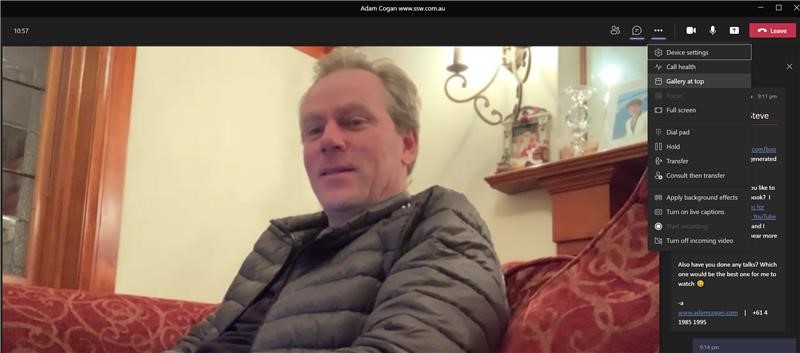
Do you know about“Gallery at Top” (see image) – if you are not using it, try it. I’d love to know if you also think it is awesome ⭐
Suggested option: “Keep the person talking in the center” … what do you do if 2 people are talking? Move both of them to the center…. Basically I’d like the people who don’t talk off to the sides.
Suggested option: “Keep people who have cameras on, in the center” Basically I’d like the people who don’t turn their cameras on, off to the sides
Figure: Move the people to the top with the option “Gallery at top”

 -
-