
Bad Outlook Programming Model: No Outlook.Item exposed!

Item Enumeration

Outlook (probably for backward compatibility reasons) doesn’t have a default Outlook.Item object as the parent of the various Outlook.Items (Outlook.MailItem, PostItem, AppointmentItem). This means code like this wouldn’t work:

dim oItem as Outlook.MailItem
for each oItem in Outlook.ActiveExplorer.Selection
' you get errors for any items (like PostItem), that isn't an 
MailItem in your inbox
MsgBox oItem.Subject
next

Figure: Example of incorrect code

So you have to write something like this:

dim oItem as Object
for each oItem in Outlook.ActiveExplorer.Selection
' this will work, because every type of Outlook Item has the subject property... 
' but we're relying on reflection (late binding) here and 
' intellisense doesn't help us when we write code,
' compiler doesn't tell us if we made a typo,
' late binding is slower...
MsgBox oItem.Subject
next

Figure: Example of correct code
Outlook needs to have a better model to develop plugins

The current object model does not make for nice and easy plugin development. Some issues include:

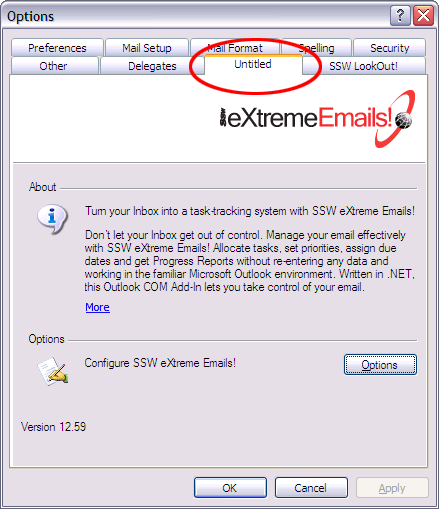
Setting the title of the COM addin in the options page:

Figure: It takes a lot of effort to change the name of the tab in options

Figure: It takes a lot of effort to change the name of the tab in options

To set the title using VSTO you have to have code like this, which is rather unnatural:

[System.Runtime.InteropServices.DispId(-518)]
public string Caption 
{
	get {return "SSW eXtreme Emails";}
}

Throw out backwards compatibility and start a fresh. For example, you should be able to inherit the contacts page and change the way it looks and add extra functionality to it.

Adding “Created By” and “Updated By” fields for contact information

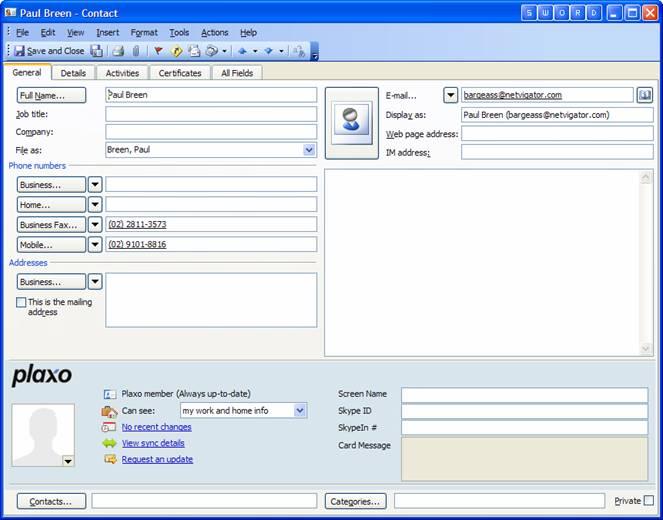
I want to know who created this contact and who updated the information for this contact, it should have “Created By” and “Updated By” fields.

Figure: Contact information

Figure: Contact information

Suggestion: Adding “Created By” and “Updated By” fields for contact information, and automatic save the logon user to the fields after a contact information was created or updated.

We have a rule better to interfaces about this, please see Data Entry Forms – The way to develop Data Entry Forms – Created/Last Updated By Fields