Please add auto spell check on mail subject.


Do you agree that products always have room for improvement?
"Every day there are little things in software that we find annoying. Some write books about it, like Annoyances.org, but I thought this site would be more constructive.
BetterSoftwareSuggestions.com is proudly maintained by myself and the developers at SSW."
 - Adam Cogan
 Please add auto spell check on mail subject.
We need an additional field “Days To Go” on appointment or meeting:
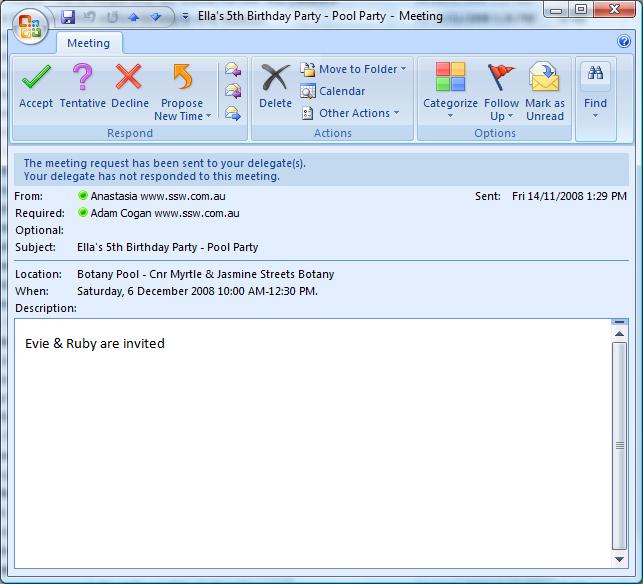
Figure: The date is good, an additional field “Days to Go” would be even better. A good example of this field is on the homepage calendar of www.ssw.com.au
Please add who created this (see yellow) in the UI… or at least on the Properties of the email
Ideally, you will be able to see:
Currently, you can only see this by clicking “Reply to All”
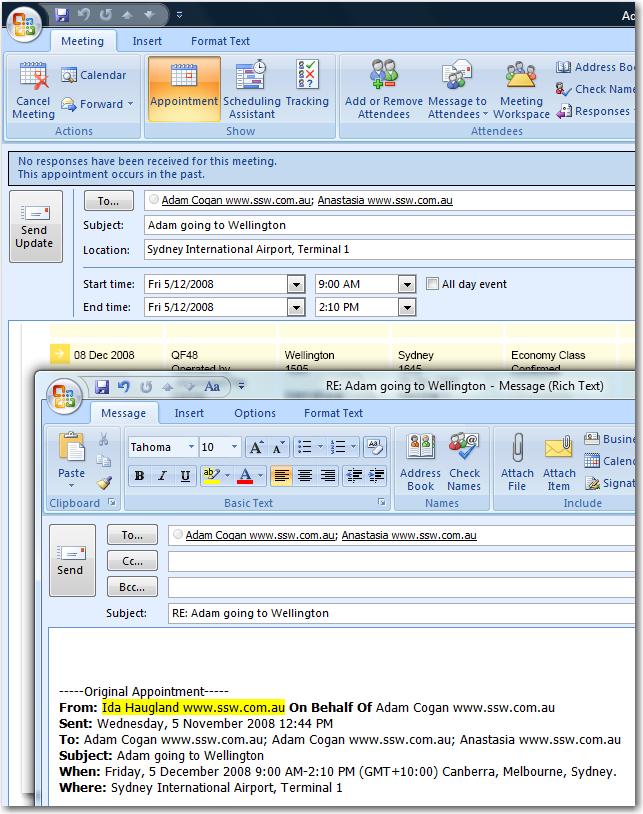
Figure: I should not have to click “Reply to All” to find out that it was ‘Ida Haugland’ who created this appointment
It is better to add a signature in Appointments like in Mail messages
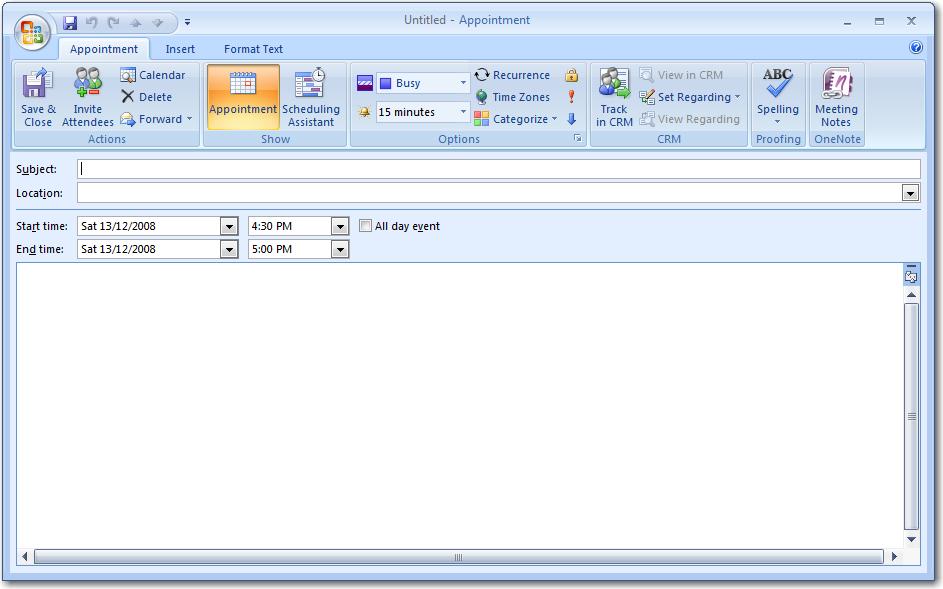
Figure: There is no possibility to have a default signature for new appointments (Try File –> New appointment in Outlook)
The “Connection” tab needs reordering as a minimum change.
The first two sections are hardly ever touched (Being “Connection” and “Modem”).
However the “Outlook Anywhere” is used a lot, so that should be the first section.
PS: On the “Microsoft Exchange Proxy Settings” form, we need button under the first textbox “Populate Settings From Mail Server”(or is there a security reason this could not be done).
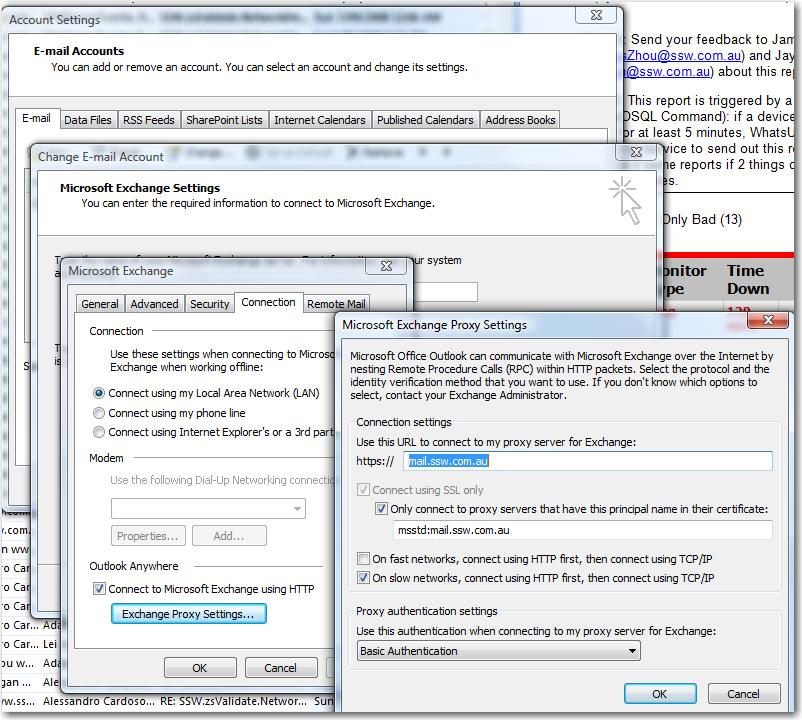
Figure: Settings are hardly ever touched
Here is my sad story…
Why doesn’t Outlook not work better? It could say.
Since you last connected, 356 emails have been deleted from ‘Inbox’ on the server.
Do you want these emails to be deleted on your PC? [DELETE]
Do you want to put your emails onto the server? [UPLOAD]
Is there a downside to this? I can’t think of anything….
(with this feature, outlook would not just be a copy, it could be included into disaster recovery plans)
I don’t think subjects should be changed today, because those use the threading in Outlook, the thread is now ruined. However people do, so I wish Outlook gave the functionality to change a subject and then use “Tools | Refresh Conversation ID” to change the Conversation ID.
PS: Better still just refresh the Conversation ID after you change a subject
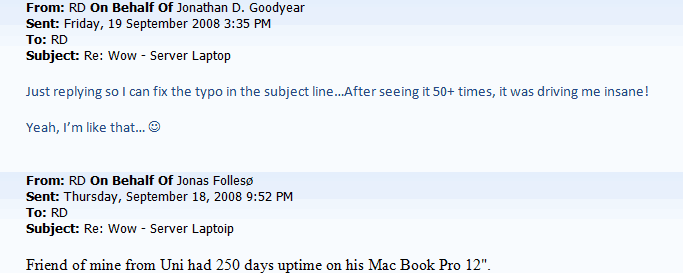
Figure: Need an option “Tools | Refresh Conversation ID” for use after you change a subject
I am going to flash my TyTnII.
All my data is synced Except my SMSes Grrrrrrr.
All unhandled errors (aka crashes) will take your email…
And inform you when a hot fix/service pack resolves that issue
(I choose Outlook as the first application to implement this, as that is what I get the most crashes)
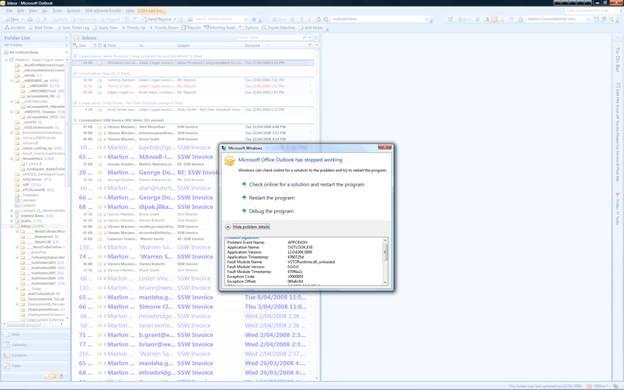
Figure: All crashes will take your email
If I get more than one contacts with the same email address when checking the names, I’d like to know which is in my Local Contacts and which in the Exchange User List. So please add a column to identify this.
For instance, if I know the one in my Local Contacts is the latest and the first one is identified as Local Contacts, I can select it easily without checking details of these two.
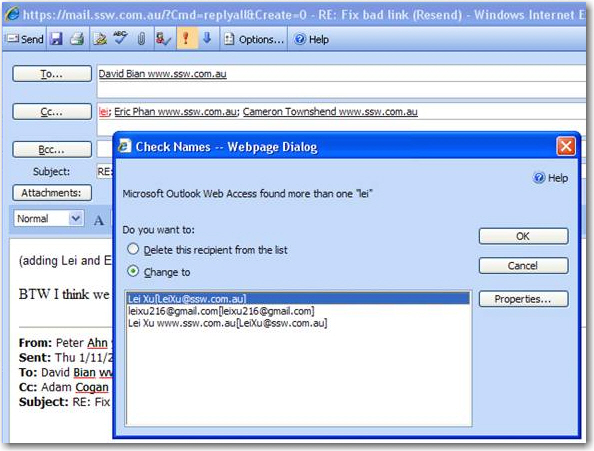
Figure: No column identifies where contacts are from