Why is the Dynamics App fixed as landscape? So weird.
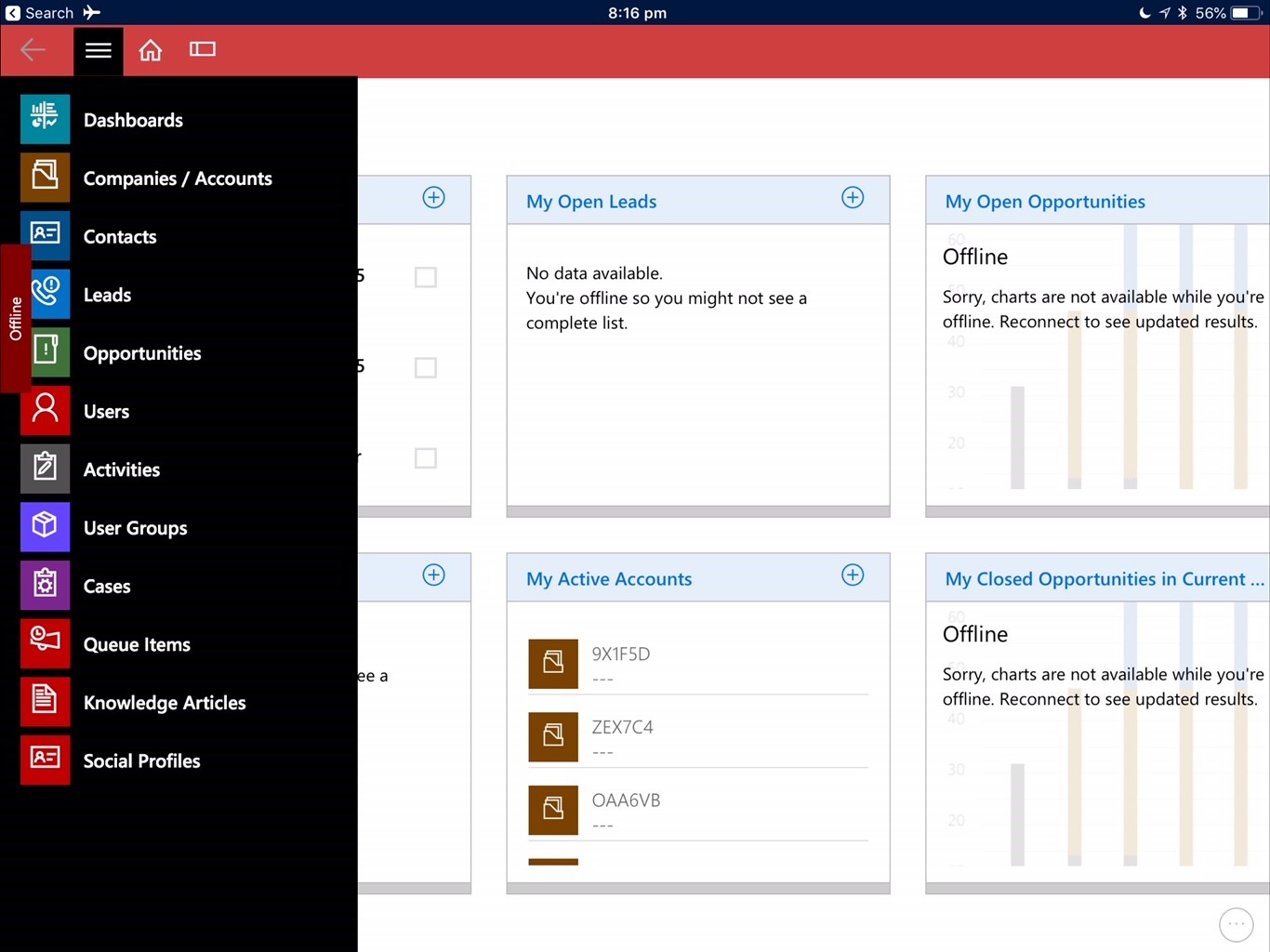
Figure: Why do I *have* to turn my iPad on its side?

Do you agree that products always have room for improvement?
"Every day there are little things in software that we find annoying. Some write books about it, like Annoyances.org, but I thought this site would be more constructive.
BetterSoftwareSuggestions.com is proudly maintained by myself and the developers at SSW."
 - Adam Cogan
Why is the Dynamics App fixed as landscape? So weird.
Figure: Why do I *have* to turn my iPad on its side?

From the audit result, if you double-click a line and then click “More information”, here is what you see :
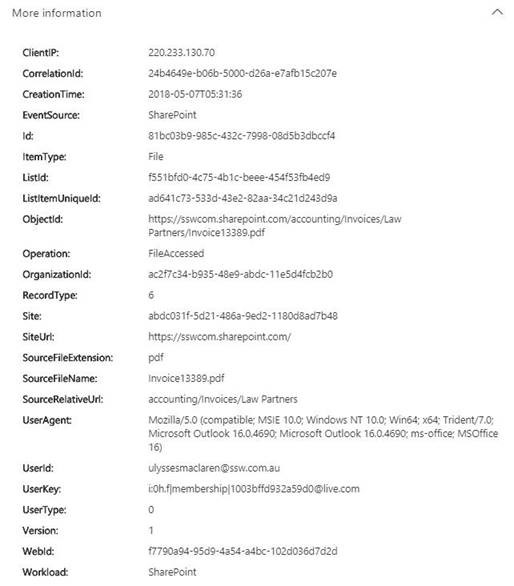
Figure: audit log results detail panel after clicking “more info”
Which is great! A lot of useful information in there!
However, if you export the Audit result, here is what you get :
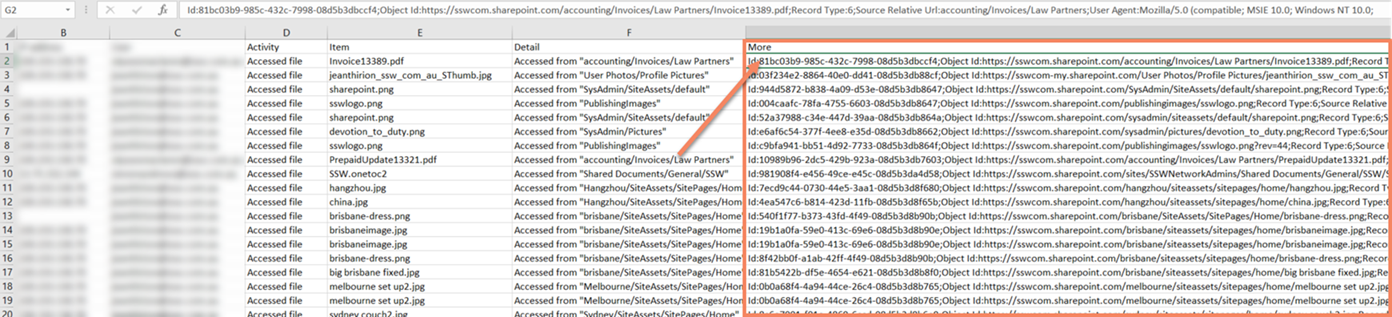
Figure: audit log results exported to excel
The whole “More information” data is a single column !!
It is indeed easy to format but requires extra work, and is not ideal.
Suggestion: make these information extra columns in the export!
Consider this search result:

Figure: audit log results
When I click on “Details” (or double click), I can see :
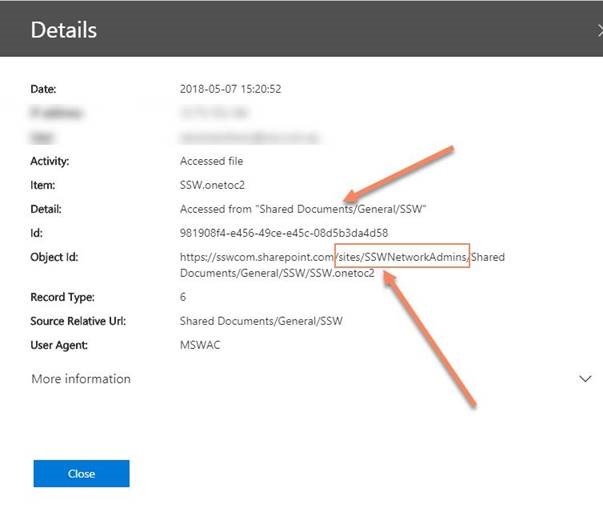
Figure: audit log results detail panel
This is terribly misleading ! The source is displayed as “/Shared Documents/xxx”, which I assumed being “sswcom.sharepoint.com/Shared Documents/xxx”, but is in fact “sswcom.sharepoint.com/sites/SSWNetworkAdmins/Shared Documents/xxx”. The displayed path is indeed relative, but relative to the site collection, not the whole tenant. Which is misleading in a “unified” log (where results can come from pretty much any site collection).
Suggestion: I would love to have options to:
The “File, Folder or Site” box shouldn’t a simple text filter.
Say I want to have results for my root site only (sswcom.SharePoint.com) – without subsites (say, sswcom.SharePoint.com/sysadmins), I have currently no way of doing it. Searching for “sswcom.sharepoint.com” will give me results that are in subsites or pretty much anything that includes “sswcom.sharepoint.com”.
Suggestion: Either implement “smart” search with the keyword (E.g. “sswcom.sharepoint.com” AND (NOT “sswcom.sharepoint.com/sysadmin”)) OR add a multi-select dropdown to pick the sources (sites, subsites, teams, etc…)
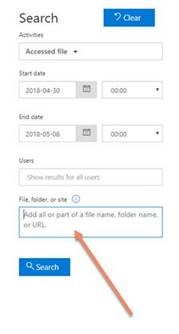
Figure: “file, folder or site” filter box at the bottom of search criteria
Less noise – more value :)
+ I’d like a 3rd graph for Business Value – see Do you estimate “Business Value”?
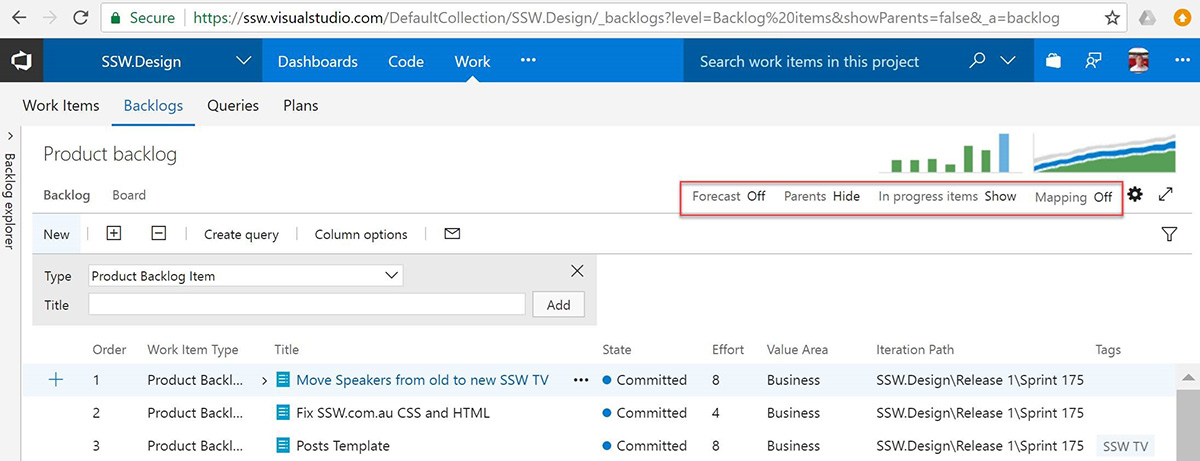
I have 5 tabs open for the projects I am the Scrum Master or Product Owner of…
It would help to visually identify it with the logo or maybe I would put a picture of the Product Owner.
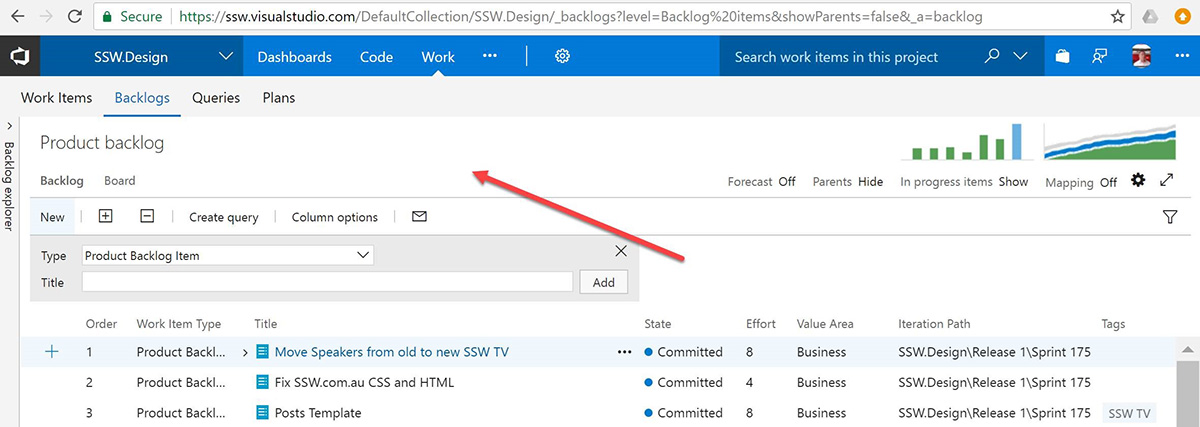
Figure: Allow me to put the product logo here
‘Ignore Conversation’ moves to the ‘Deleted Items’ folder. That folder is stuff I know I deleted.
I think that it should default to a new folder ‘Deleted – Ignored’
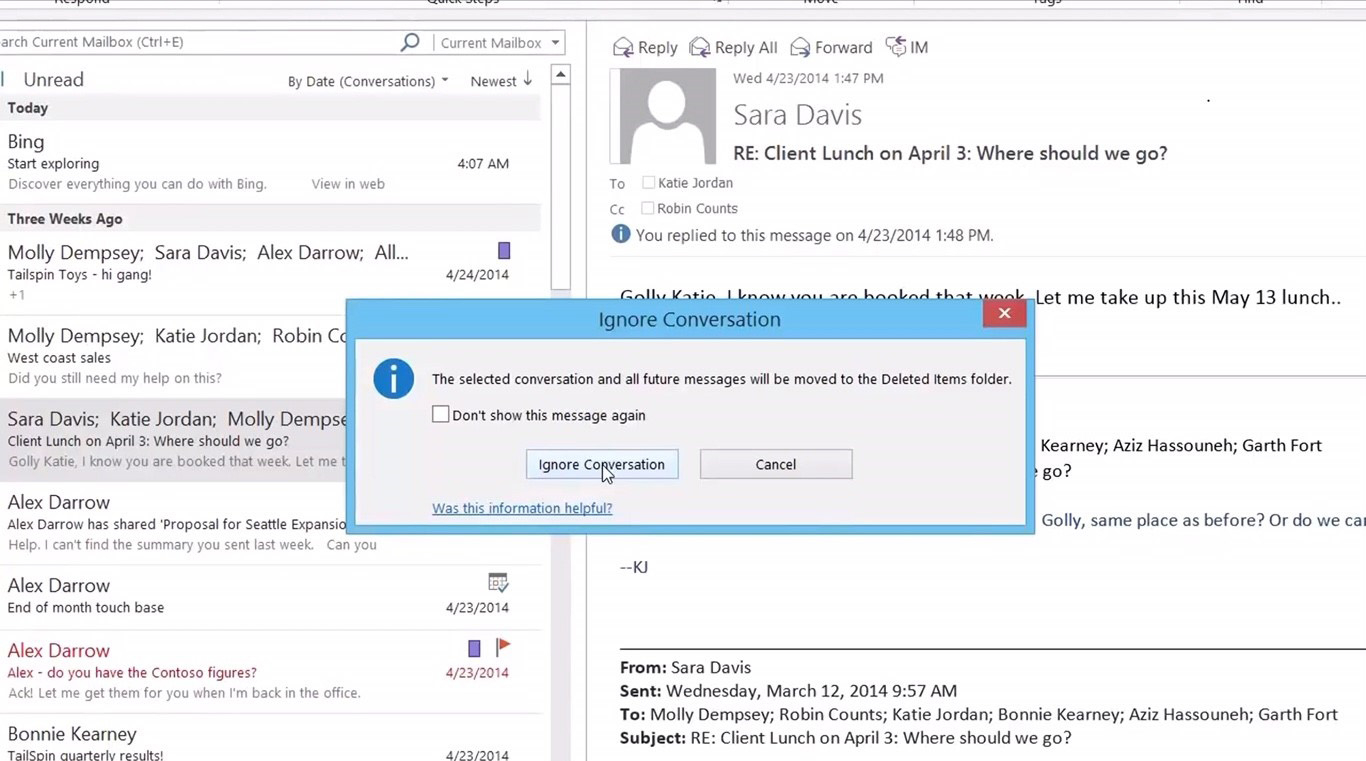
Figure: ‘Ignored’ conversations are currently moved to ‘deleted’ folder

Office 365 dates seem to be too simple. Audit data should be crystal clear (as detailed as possible).
I find audit history on Office365 to be lacking E.g. sswcom.sharepoint.com
It certainly is less useful than Sharepoint 2016 as dates were shown better.
I searched for a record on the 2 lists and here is what I see:
Office 365
Eg. sswcom.sharepoint.com show me last activity as Friday at 2:15 PM
SharePoint 2016
Eg. intranet.ssw.com.au show me last activity as Created at 9/03/2018 5:06 PM
I find it less useful as it doesn’t tell me the date it was created on. I would prefer to have something like “2 days ago at 2:15 PM (Friday 9/03/2018)”
PS: This is very simple to do with Moment.js
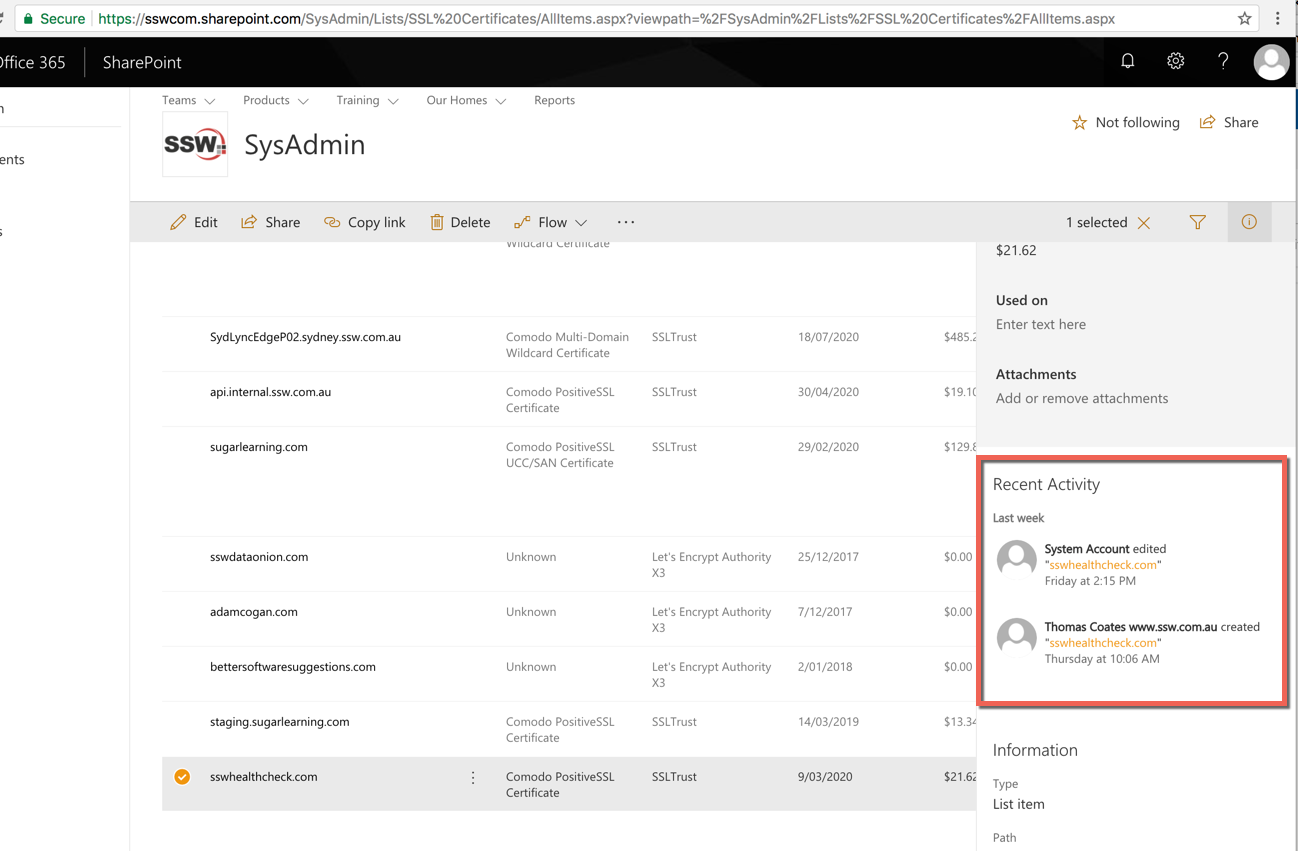
Figure: Office365 – Audit data
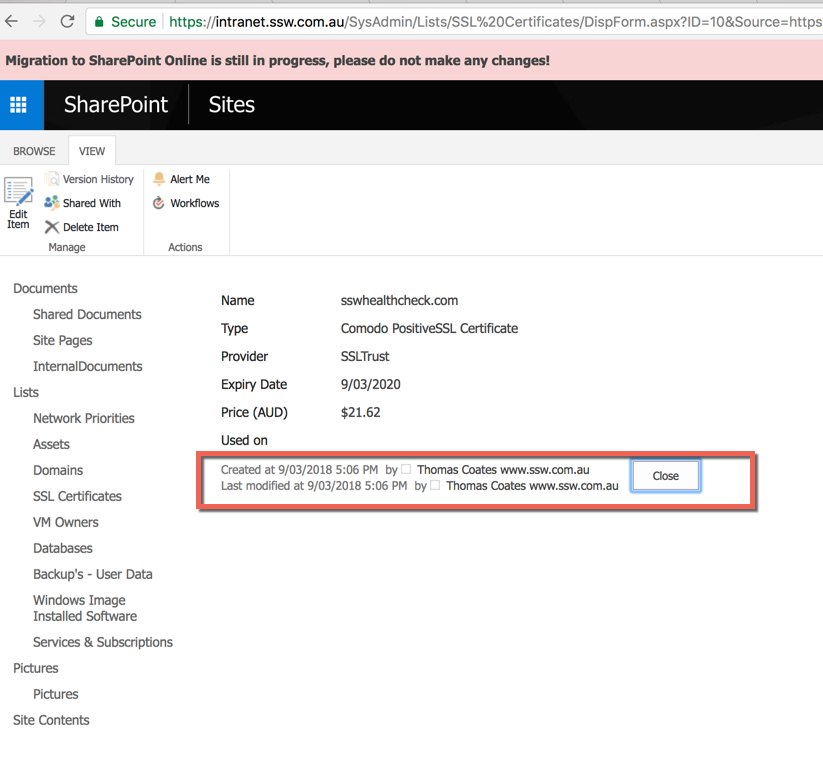
Figure: SharePoint 2016 – Audit data
I’m on a long flight right now traveling from the USA to Australia doing emails. It would be great to have a feature that made you need to use Microsoft’s iOS app over the build it Apple mail app. I have one that would make me always use it!
I’m forgetful so when I get an email and think “I’ll call them back” or “I’ll add the to the VSTS backlog later” or “Speak to my girls at home” etc
I find I too often forget.
I’d love tags “To call”… “Add to backlog”… “My girls” etc.
Any +1’s on this? Or do you have a better system than your memory?
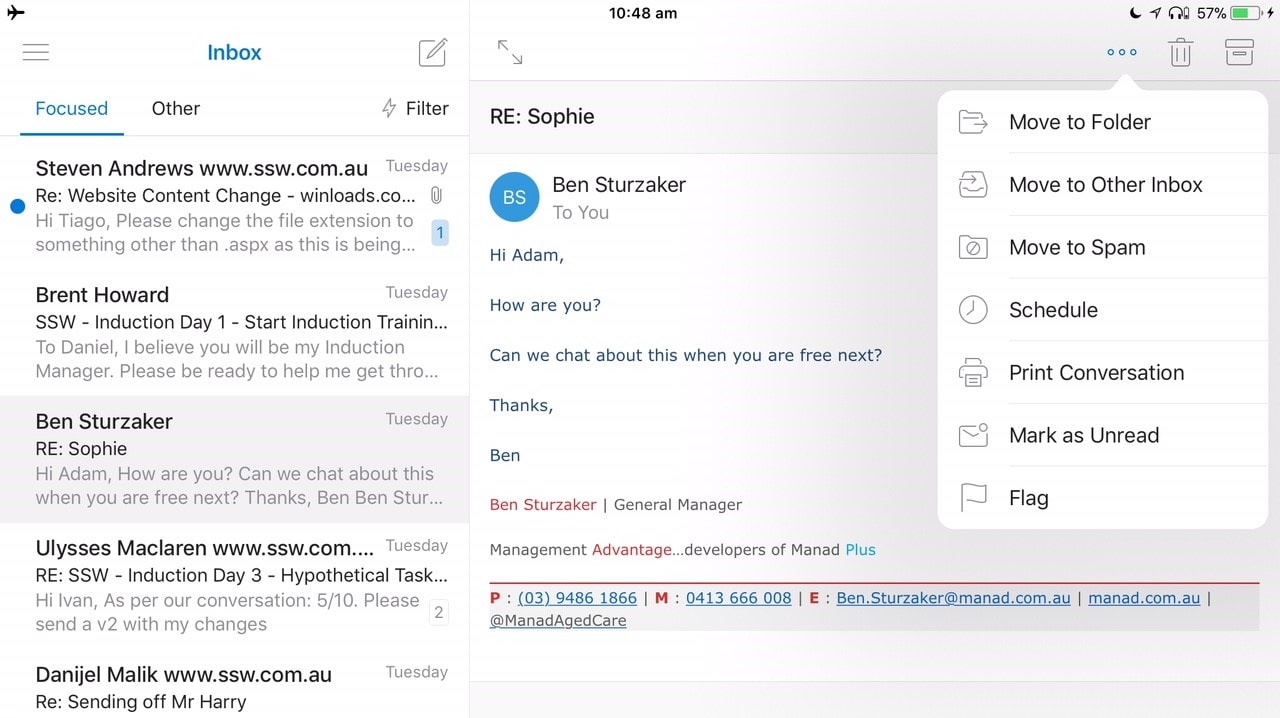
Figure: Microsoft’s iOS mail app needs custom Tags
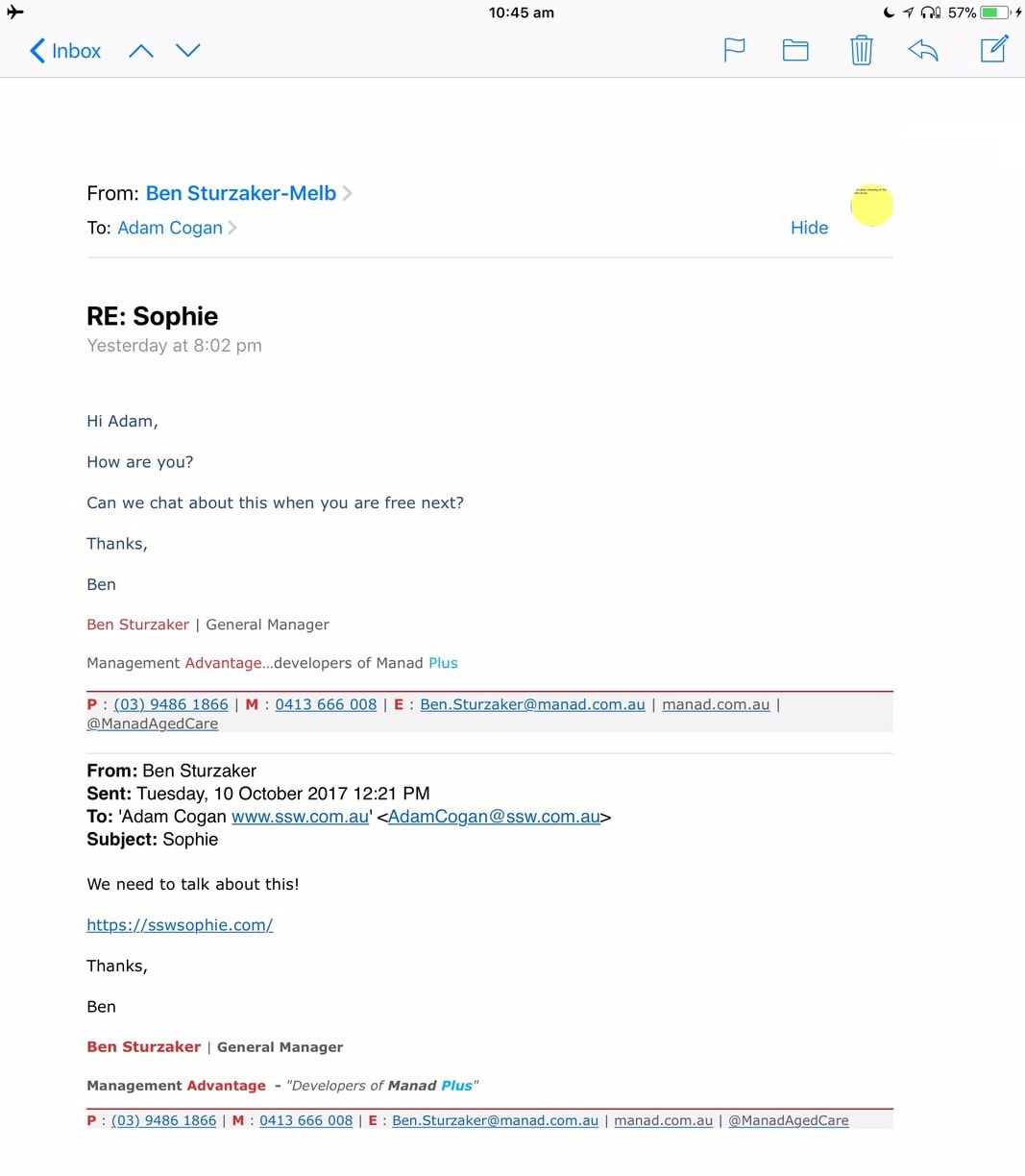
Figure: Apple’s iOS mail app does not have custom Tags
It is 2018 and I feel that Outlook is really old when I see it trying to access the server when I am not on the internet.
It is just silly making me click on the link.
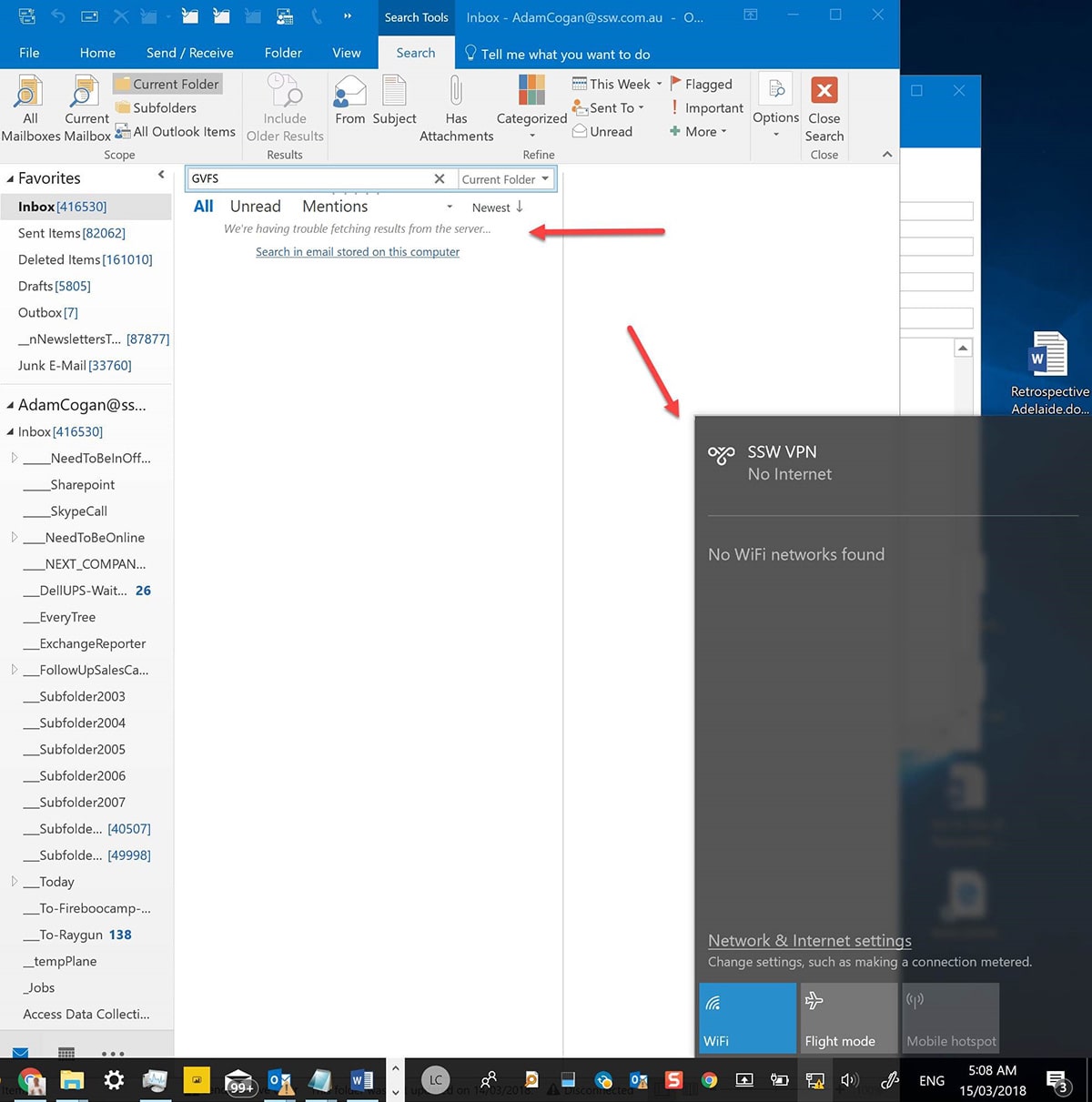
Figure: The Outlook engine wastes my time and makes me click “Search in email stored on this computer”