These shortcuts names should be stored with the PST/OST so that customers won’t lose these when they create a new profile.
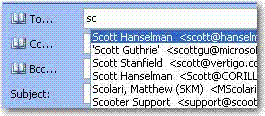
Figure: shortcut names should not be lost while users create new profiles

Do you agree that products always have room for improvement?
"Every day there are little things in software that we find annoying. Some write books about it, like Annoyances.org, but I thought this site would be more constructive.
BetterSoftwareSuggestions.com is proudly maintained by myself and the developers at SSW."
 - Adam Cogan
These shortcuts names should be stored with the PST/OST so that customers won’t lose these when they create a new profile.
Figure: shortcut names should not be lost while users create new profiles
People close Outlook and they will notice it continues to check for new mail after they think Outlook is closed!
Really what do they do? They close Outlook and they still see (surprisingly some time later) an envelope appear in their system tray and a popup appearing showing the mail that has just arrived.
The basic issue is that Outlook hasn’t really shut down even though you intended for it to shut down. The most likely cause of this is that some “3rd party” application is keeping Outlook running.
The most common one I see is Active Sync – and now you have Outlook running with no visible windows. We suggest:
Why does the IE team not design you to run IE6 and IE7 side by side on the same PC?
Seems a strange thing to not keep on shipping…
The disable ones are counter-intuitive. “Ticking” something normally means turning something on, not turning something off.
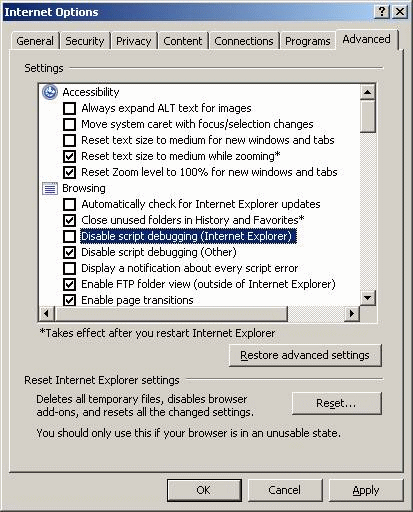
Figure: Internet Explorer 7 Options window
When print document with multiple pages – Please pop a message box with a question: “Would you like to choose a footer style so you have page numbers when you print?“
The “Find and Replace” can be improved a little by:
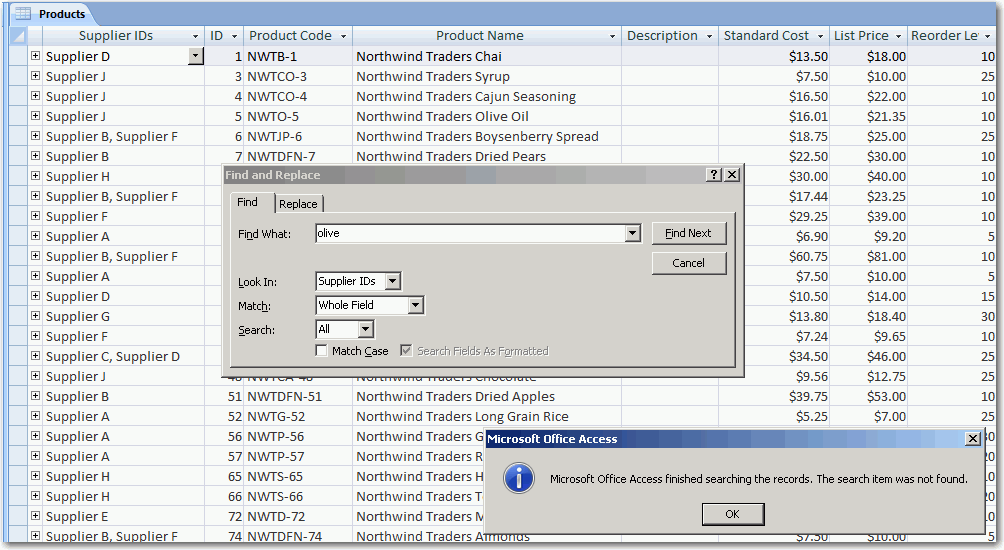
Figure: The “Find and Replace” window
Then the user can use the right click menu to create a calendar appointment.
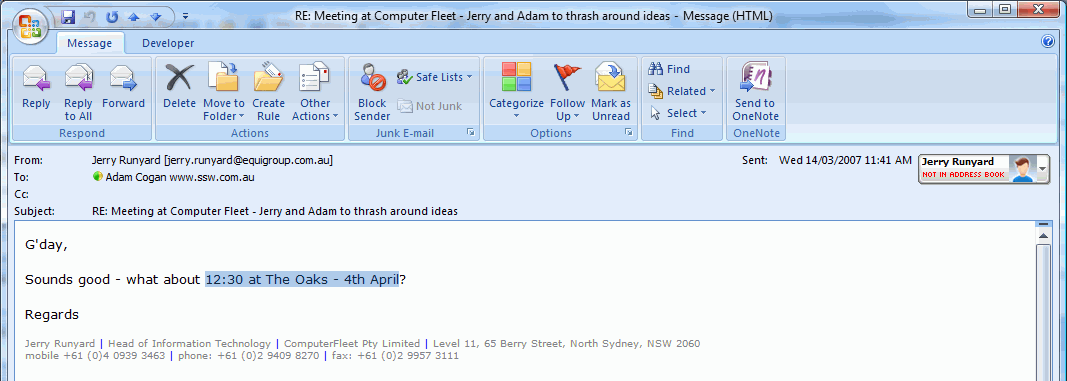
Figure: Have a smart tag that shows “Create calendar appointment”
When I put pictures into an Outlook HTML email, they are much less quality and significantly larger, even though Outlook reports that they are 100%.
Outlook currenly uses 12 AM to 12 PM for All Day Events. This creates problem when it is for different time zone.
It would be useful to use additional time zone feature in outlook to display local time zone without changing time of operating system. Either you can change all day event to local time zone setting.
One best option to handle with this problem is storing all time zone using UTC(Universal Cordinated Time) so that there is no need for any other time settings and appointment can be rendered using local time zone.
Add another right click option on names in the To field.
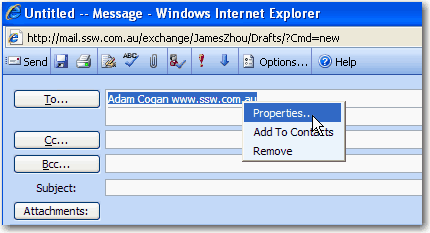
Figure: Add options on the names in To field in OWA
You should be able to right click a name in the “To:” field and select “Move to CC” or “Move to BCC”.
PS: Likewise similar options would be useful in the CC and BCC fields.